Step 01
Get Wise
Scan the QR code with your phone or open the official Wise link below to get the app.
TipDownload from the App Store, Google Play or the official Wise website.

 TDB SunBeachTioman Dive & Stay
International Payment Guide
Pay for your Tioman dive course, package or stay from overseas. This guide gives you the verified recipient details and the exact steps to follow inside Wise.
Add your booking name or invoice number to the payment reference, and confirm the recipient is WE DIVE SDN. BHD.
Verified Bank Details
Choose “Local bank account” in Wise, then enter these details exactly. Use Copy to prevent typing mistakes.
Real Exchange RateNo hidden rate mark-up
Transparent FeesSee the Wise fee before sending
Fast DeliveryMany transfers arrive the same day
Bank-Level SecurityCompleted inside Wise’s secure flow
This account is only for payments to TDB SunBeach. Do not send payment screenshots or account details through unofficial messages.
If Wise shows a different recipient name or bank, stop the transfer and contact our team before sending.
Wise Walkthrough
Select each step to see the matching Wise screen and a practical tip.
Scan the QR code with your phone or open the official Wise link below to get the app.
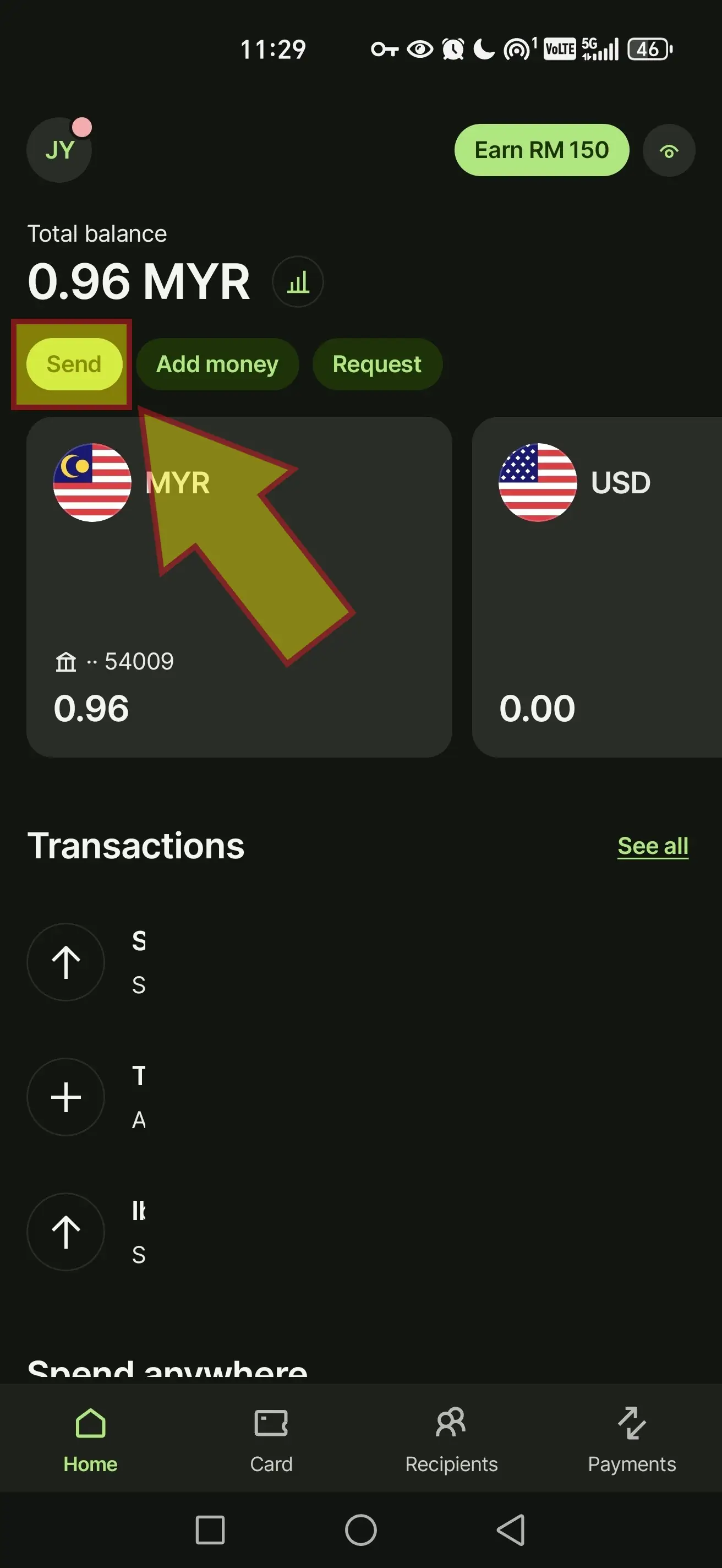
Open Wise, tap “Send”, then choose “Someone else” as the person you are paying.
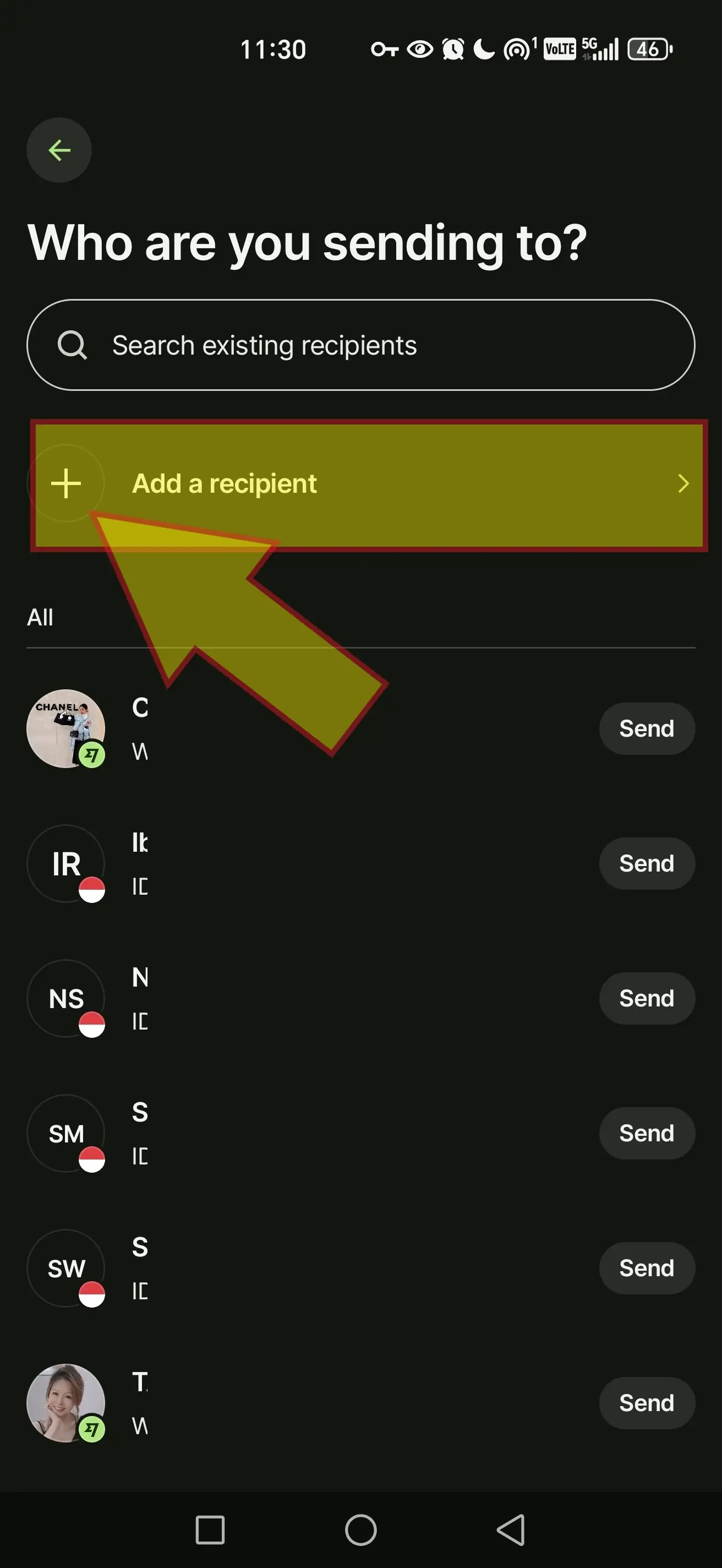
On “Who are you sending to?”, choose “Add a recipient” and select bank details.
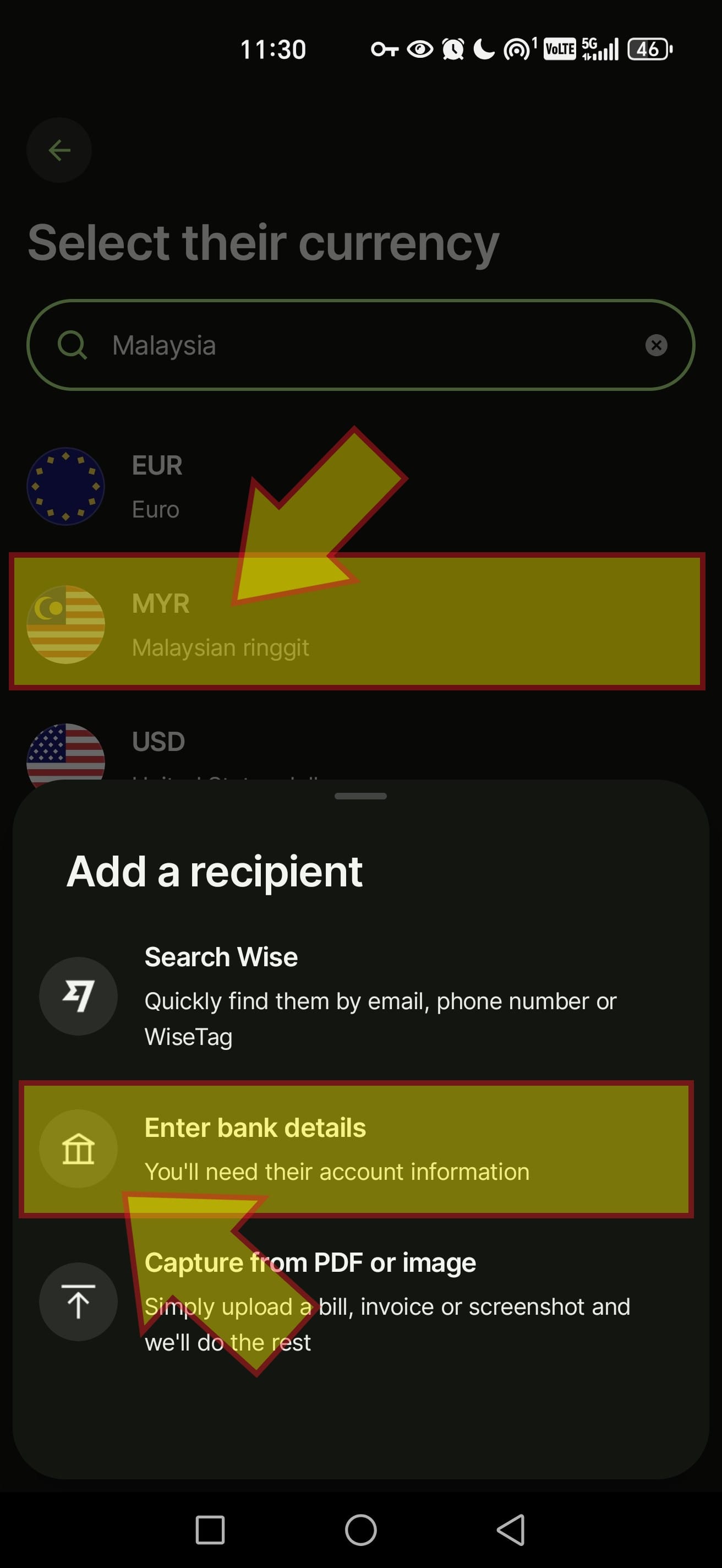
Select MYR as the recipient currency, then choose “Local bank account”.
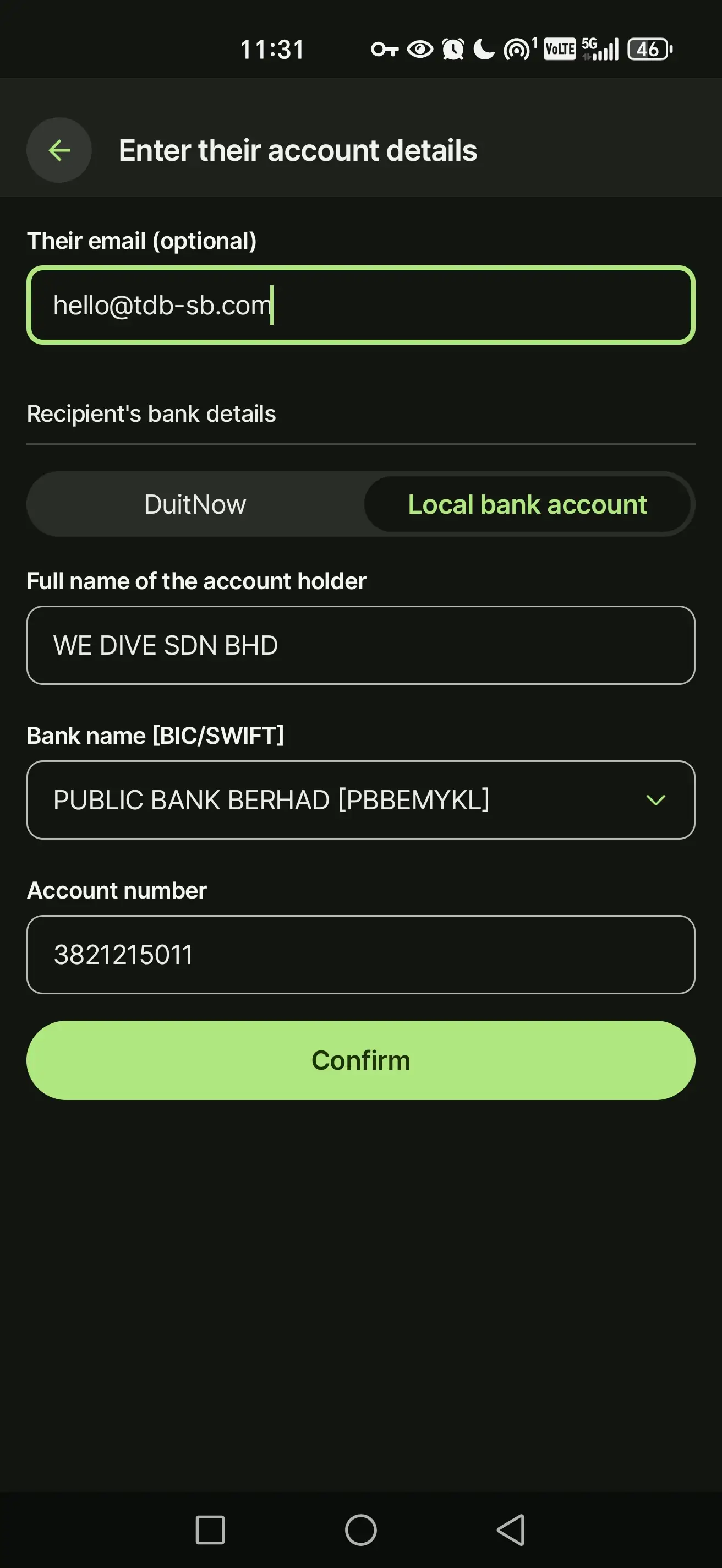
Enter the account name, Public Bank, account number and SWIFT, then review the amount and currency.
After You Transfer
Once Wise confirms the transfer, send the confirmation screenshot to the TDB SunBeach team so we can match it to your booking.
Capture the Wise transfer screen showing the amount, currency, date and completed status.
Make sure your booking name or invoice number appears in the payment reference.
Send the screenshot on WhatsApp or email it to [email protected].
If anything looks different before you send money, stop and contact us. Our team can verify the bank details, amount and booking status.
